Free QR Code Generator with AI-Powered Art and Logos

Create free QR codes with AI-powered artistic designs: Add logos, brand colours, and unique shapes for URL, WiFi, PDF, YouTube and more. Generate scannable, custom QR codes in seconds.

COMPANIES OF ALL SIZES TRUST US

How to Create a Custom QR Code with the Free Online QR Code Generator

Create a branded, trackable QR code in three steps with this free QR code generator online. Customise to create QR code for any purpose: websites, business cards, vCards, WiFi, PDF documents, Google Reviews, or social media profiles like Instagram, Facebook, and WhatsApp. Download in high-quality PNG, SVG, or PDF format with this free QR code maker. Static QR codes never expire and stay scannable for life.

Choose Your QR Code Type from 40 Options

Select the type of content your QR code will link to: URL, WiFi, PDF, vCard, business card, Google Reviews, or social media profiles like Instagram, Facebook, WhatsApp, and TikTok. QR Code AI supports 40 content types, including bulk QR code generation for campaigns, each with optimised input fields and design previews.
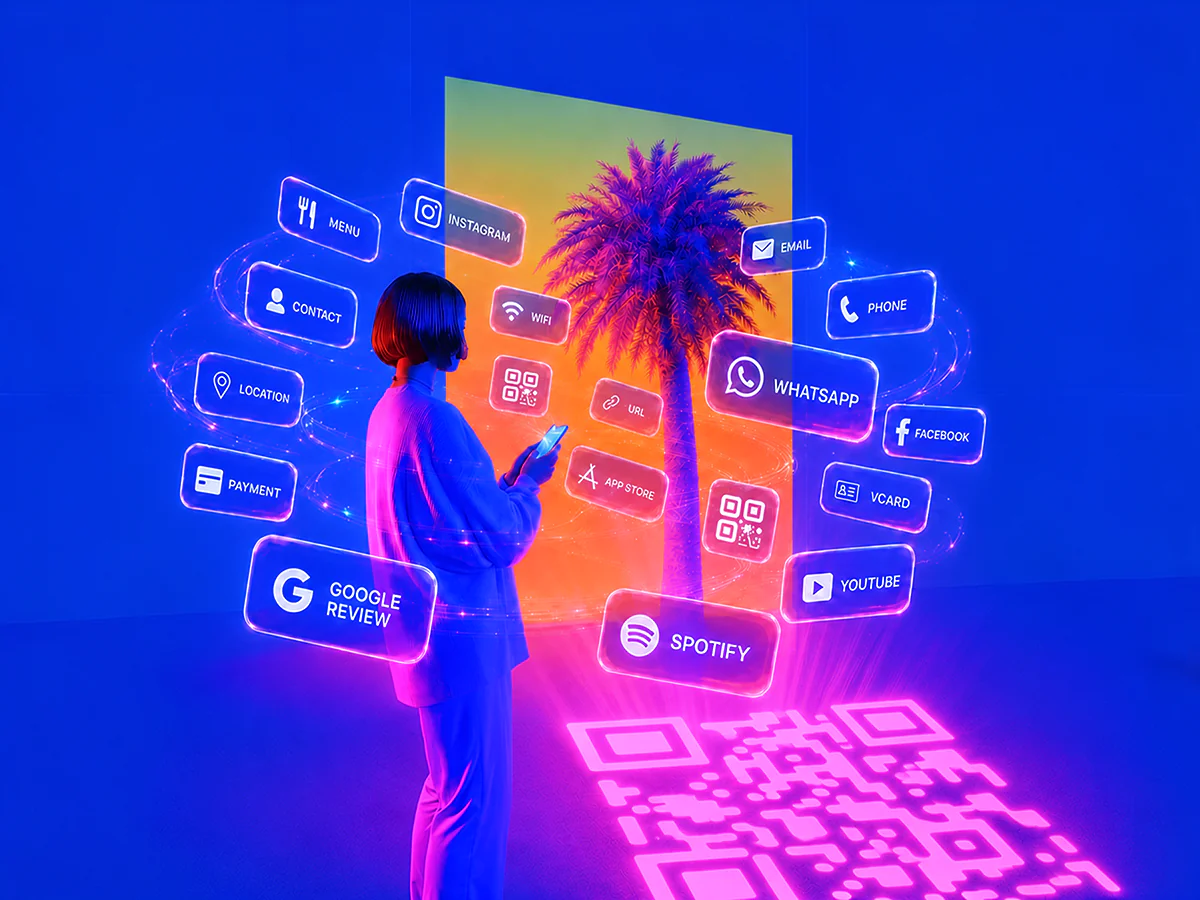
Stylised neon woman with large afro and glasses holding a smartphone, surrounded by floating social media and app icons and QR code like Instagram, Facebook and WhatsApp.

Customise Your QR Code Design

Add your logo, choose brand colours, and select a shape: heart, circle, square, or custom. Enable a transparent background or add a frame. For artistic designs, use QR code art to generate AI-powered styles that transform your QR code into a unique visual while keeping it fully scannable.

Artist personalising QR codes, including one with a tiger illustration and another in purple featuring a WiFi symbol, representing creative and dynamic QR code designs.

Download, Print and Track Scans

Download your finished QR code in PNG, SVG, or PDF format for digital use or high-quality printing: Use it on business cards, menus, flyers, packaging, or event materials. Track scan performance with built-in analytics or integrate with Google Analytics via UTM parameters.

Person scanning a glowing orange QR code with a smartphone, while a group of people look at the large digital code displayed on a city wall.

Three QR Generators in One: Custom QR Code, QR Code Art, and Image QR Code

Unlike a basic Adobe QR code generator or Canva QR code generator, QR Code AI combines three QR creation modes in one tool: Custom QR Code with 50+ design parameters, QR Code Art generated from text prompts (a feature no major competitor offers), and Image QR Code overlaid on any background. Every code is verified by a built-in scannability checker and runs on encrypted, GDPR-compliant servers with anti-scam protection that blocks fake QR codes and phishing. Dynamic QR codes track every scan with detailed audience intelligence; static QR codes never expire.

Colourful QR code monkey, QR code with dinosaur, Instagram logo QR code, WeChat QR code, and a safe icon, set against a vibrant background in a futuristic city at night.
After
Black and white QR codes, QR code blurry, with a hooded hacker in a futuristic cityscape, illustrating QR code scam, fake QR code, phishing, and QR code security risks.
Before
Create Your QR Code

Built to Scale

QR Code AI's infrastructure processes hundreds of millions of QR codes and scans each month, scaling with organisations of every size across 150+ countries.

QR Codes Created

12.4M

QR Codes Scanned

76.8M

QR Code Templates

1200+

Why QR Code AI Beats Adobe, Canva, QRCode Monkey, and QR Tiger

QR Code AI is the only major free QR code generator with AI Art built in: Combine AI-powered designs, 50+ customisation parameters, dynamic QR codes, scan intelligence, and 40 content types from WiFi to PDF. Free plan includes 5 AI generations, 3 QR codes, and 3 Smart Links; Premium unlocks unlimited creation, full analytics, and bulk QR code generation.

Stylised QR code with palm tree icon, free label, and infinity symbol in blue spheres against a dynamic digital background.

Free to Start

Start free with 5 AI generations, 3 QR codes, and 3 Smart Links. Perfect for personal projects, small campaigns, or testing this QR code maker. Upgrade to Premium for unlimited generation across all three QR code types, dynamic QR tracking, and full audience analytics, no credits consumed via the UI.

30% growth indicator with stylised QR code and palm tree icon, set against a vibrant blue background with digital squares and a hand holding a smartphone.

Up to 30% More Scans with Custom Designs

Custom-branded QR codes with logos, colours, and unique designs attract more attention than standard black-and-white codes. Based on QR Code AI platform data, artistic QR codes receive up to 30% more scans on average.

Stylised QR code icon next to a stopwatch on a vibrant digital background with blue and orange squares.

Static QR Codes Never Expire

Static QR codes generated by QR Code AI never expire and stay scannable for life, ideal for printed marketing materials. Dynamic QR codes with editable destinations and live tracking remain active under an active premium plan.

Colourful QR codes with rounded and square designs featuring logos from McDonald's, Starbucks, Red Bull, Chanel, Ferrari, and MrBeast, set against a vibrant digital background.

Customisation for Branding

Align your QR codes with your brand identity by customising logos, colours, backgrounds, and shapes to make a lasting impression.

Artificial Intelligence (AI) graphic featuring a stylised QR code icon with a laptop on a vibrant, futuristic digital background with glowing cubes.

AI-Powered Capabilities

Harness AI to create advanced artistic designs, track scan performance, and analyse real-time data to optimise your QR code marketing campaigns.

Creative QR code examples with logos from Amazon, Google Drive, Gmail, App Store, WiFi, Iron Man, Dragon Ball, and Minecraft, displayed on a vibrant digital background.

Examples Library

Access a comprehensive library of QR code examples (templates) for WiFi, URL, business cards, vCard, LinkedIn, Instagram, WeChat, forms, and more, ready to use instantly.

Digital locked folder with QR code examples, featuring a Starbucks logo and a Japan-style portrait QR code, set against a futuristic blue and orange background.

Advanced Security

Keep your QR codes protected with encryption and secure tracking, giving peace of mind for both you and your users.

Set of QR code types function icons including URL, email, phone, SMS, text, WiFi, vCard, form, UPI, PIX, App Store, Instagram, YouTube, and more on a colourful digital background.

40 QR Code Types Supported

From WiFi, website URLs, and LinkedIn to payment links and forms, QR Code AI supports 40 QR code content types to suit every need.

Futuristic robot with QR code icons on its body and the text 'API' in the background, symbolising QR code integration with APIs in a vibrant digital setting.

QR API Integration

Integrate with our QR code API for automation and management of your QR code campaigns across platforms.

Create My QR Code

All QR Code Types Supported by QR Code AI

Create personalised QR codes for any purpose using QR Code AI's free QR code generator with full customisation options. Track scans to measure QR code marketing performance and optimise campaigns across all platforms.

Abstract graphic of a link icon surrounded by QR codes, representing a URL link QR code generator with a futuristic design.

Link to QR Code Generator

Convert any link to QR code with logo, short links, and live scan tracking. Edit the destination anytime.

Futuristic graphic with a text icon surrounded by QR codes, symbolising a text QR code generator interface.

Text to QR Code Generator

Convert text into a QR code for quick access and easy sharing, making it ideal for displaying info or short messages.

Digital illustration of a WiFi icon with surrounding QR codes, depicting a WiFi QR code generator in a dynamic design.

WiFi QR Code Generator

Generate a QR code for WiFi with transparent options, allowing people to connect securely without any faff.

Digital illustration with a WeChat icon surrounded by QR codes, representing a WeChat QR code generator concept.

WeChat QR Code Generator

Create a dedicated WeChat QR code for groups or profiles, simplifying connections within the WeChat ecosystem.

Vibrant illustration with the LINE chat icon surrounded by QR codes and characters, representing a LINE QR code generator.

LINE QR Code Generator

Generate a QR code for Line to share contacts, connect with bulletin boards, or enable seamless data transfers.

Colourful graphic with the Instagram icon surrounded by QR codes and hearts, symbolising an Instagram QR code generator concept.

Instagram QR Code Generator

Generate an Instagram QR code to promote your profile, with options for custom images and backgrounds.

Dynamic design with the Facebook icon surrounded by QR codes and social symbols, representing a Facebook QR code generator.

Facebook QR Code Generator

Create a custom QR code for your Facebook page, perfect for boosting page visits and social engagement.

Graphic featuring a document icon with QR codes, representing a Google Form QR code generator in a dynamic design.

Google Form QR Code Generator

Generate a QR code for any Google Form to simplify form access and increase survey participation rates.

Digital design featuring a business card icon with QR codes, symbolising a visiting card, and v-card QR code generator.

vCard QR Code Generator

Share contact info with a QR code generator for business cards, visiting cards, or vCards, ideal for networking.

Abstract illustration with an SMS message icon surrounded by QR codes, representing an SMS message QR code generator.

SMS QR Code Generator

Create a quick QR code for SMS messages, allowing people to text you instantly with pre-filled details.

Abstract illustration featuring an email icon with surrounding QR codes, representing an email QR code generator.

Email QR Code Generator

Create a QR code for any email address, enabling people to start an email with a simple scan.

Illustration featuring a PDF document icon surrounded by QR codes, representing a PDF QR code generator concept.

PDF to QR Code Generator

Turn PDF documents into QR codes, perfect for sharing files quickly and reducing paper usage.

Vibrant illustration with the YouTube play icon surrounded by QR codes, representing a YouTube QR code generator concept.

YouTube QR Code Generator

Create a QR code for YouTube videos or channels to increase views and boost audience engagement.

Colourful illustration with the TikTok logo surrounded by QR codes, symbolising a TikTok QR code generator concept.

TikTok QR Code Generator

Generate a TikTok Shop affiliate QR code, connecting people directly to your shop or unique content.

Illustration with the Google Reviews icon surrounded by QR codes, symbolising a Google Review QR code generator for businesses.

Google Review QR Code Generator

Direct people to your Google Reviews page, making it easy to collect reviews and build credibility.

Graphic showing the Amazon logo with surrounding QR codes and packages, symbolising an Amazon QR code generator concept.

Amazon QR Code Generator

Create a QR code for Amazon links, whether it's for wish lists, Whole Foods, or Prime, improving customer access.

Abstract design featuring a phone icon with surrounding QR codes, symbolising a phone call QR code generator concept.

Phone Number QR Code Generator

Generate a QR code that links directly to a phone number, making calls just a scan away for instant connections.

Illustration featuring the Twitter (X) logo with surrounding QR codes, representing a Twitter (X) QR code generator concept.

Twitter / X QR Code Generator

Create a Twitter / X QR code to promote your profile or specific posts, ideal for social engagement and quick access.

Illustration with the WhatsApp logo surrounded by QR codes, symbolising a WhatsApp QR code generator concept.

WhatsApp QR Code Generator

Create a WhatsApp QR code to link to your chat or profile, perfect for personal and business messaging.

Illustration featuring the Excel logo surrounded by QR codes, symbolising an Excel QR code generator concept.

Excel QR Code Generator

Convert Excel sheets or specific data into a QR code, simplifying data access and sharing for professional use.

Illustration featuring the App Store and Google Play logos surrounded by QR codes, symbolising an app download QR code generator.

App Store & Play Store QR Code Generator

Generate QR codes for Apple or Google Play Store links, helping people find and download apps instantly.

Explore All QR Code Types

Frequently Asked Questions About QR Codes

Understanding QR Codes

A QR code is a two-dimensional barcode that, when scanned by a smartphone or QR code reader, instantly links people to online content, websites, contact info, and more. Beyond simple links, QR codes can embed advanced functionalities like payment gateways, location sharing, event RSVPs, and multimedia files, making them ideal for quick, seamless information sharing across marketing, events, and product interactions.

The father of the QR code is Masahiro Hara, an engineer at Denso Wave, who invented the QR code in 1994 in Japan to address limitations of barcodes, particularly in the automotive industry, by creating a two-dimensional code with high storage capacity and quick readability. Denso Wave holds the patent but chose not to exercise it, making the QR code freely accessible.

A QR code is a two-dimensional matrix storing data both horizontally and vertically, allowing it to hold more information and be scanned from any angle: In contrast, a barcode is one dimensional, storing data only horizontally, which limits its storage and requires specific alignment for scanning.

Yes. QR Code AI is a free QR code generator that is safe to use. It runs on GDPR-compliant encrypted servers, includes built-in anti-scam protection that blocks fake QR codes and phishing redirects, and never collects personal information from scanners. The free plan includes 5 AI generations, 3 QR codes, and 3 Smart Links to get started. Static QR codes generated on the free plan never expire and stay scannable for life.

Yes, people still use QR codes widely in 2026. According to recent data, the number of smartphone users in the US who scan QR codes continues to grow significantly each year, with millions engaging for payments, marketing, and quick access to information. QR codes remain a practical tool for brands and organisations, and they’re still widely supported by mobile cameras.

The future of QR codes in marketing is promising, as they continue to evolve and adapt to new technologies like augmented reality and blockchain. QR codes can improve the customer journey by enabling immersive brand experiences, dynamic product information, and secure digital transactions. With personalised, trackable content, brands can gain deeper insights into consumer behaviour.

China leads global QR code adoption, with platforms like WeChat and Alipay embedding QR codes in daily transactions; over 50% of Chinese consumers regularly scan QR codes for payments. India follows closely, with nearly 40% of the population using QR codes, especially via UPI systems. In the US, QR code usage surged post-pandemic, with 90% of Americans having scanned at least one QR code. Japan and South Korea are also major players, integrating QR codes for shopping, transit, and hospitality.

Yes, QR codes can work indefinitely, as they don’t inherently expire. However, the content or link they point to must remain active. With QR Code AI, you can improve longevity by using a custom domain name for your QR code links. This means even if QR Code AI servers become unavailable, your QR code can still function by linking to your own domain.

To scan a QR code, just open your phone's Camera app: iPhones (iOS 11 and later) and Android phones (version 9 and later) recognise QR codes automatically and show the link, with no separate QR code scanner app needed. On a computer you can use an online QR code reader by uploading a screenshot. Every QR code created with QR Code AI is instantly scannable and stays scannable for life.

Creating and Customising QR Codes

To create a QR code for free, enter your content in a QR code generator like QR Code AI, then customise it with features like colour, logo, or artistic design. You can download the code in high-quality PNG, SVG, or PDF formats, ready for today’s standards in marketing, branding, or personal use.

Yes, QR Code AI lets you add a logo in the middle of your QR code. Adding a logo helps with branding because you can place your company logo or icon within the code, making it recognisable and professional. Adjust the size, placement, and colour so the logo blends in while keeping the QR code fully scannable.

To change the colour or background of your QR code in QR Code AI, start by selecting your code type, then choose the customisation options. You can apply brand colours, set a transparent background, and add a logo to match your style. Once you’re done, download your QR code in high quality for use across any platform.

A dynamic QR code generator creates QR codes whose destination URL can be edited after the code is printed, without changing the code itself. QR Code AI's dynamic QR code generator stores a short redirect on every code and lets you swap the target page, A/B test landing pages, and track every scan with detailed audience intelligence: Geographic location, device, browser, and bot filtering. Static QR codes are permanent and never expire; dynamic codes unlock analytics and editable destinations under a Premium plan.

QR Code AI supports a wide range of QR code types to suit different needs. From website URLs, emails, and WiFi access to social media profiles like LinkedIn, Facebook, Instagram, and YouTube, the platform covers common scenarios. It also includes QR codes for payment links, event check-ins, location sharing, and multimedia files, plus advanced features like dynamic and artistic QR codes.

You can download your QR code in high-quality formats like PNG, SVG, PDF, and EPS on QR Code AI. These formats keep your QR code sharp and versatile for digital use or printed materials like business cards, brochures, and signs.

Yes, QR Code AI’s API supports bulk QR code generation with full customisation options. Each QR code can be personalised using templates like custom QR code and QR code art, including custom logos, shapes, colours, and other design elements via API. This is useful when you need high volumes of branded QR codes.

Yes, QR Code AI lets you convert QR codes from platforms like Linktree, QR Tiger, QR Monkey, Adobe, Canva, or even game codes from Mii, Pokemon, and Tomodachi Life. Once imported, you can customise the codes further with logos, colour changes, and unique shapes to match your brand style.

Yes. The Google Chrome QR code generator is built in (right-click a page and "Create QR Code" for that URL), and the Microsoft Edge QR code generator and the Adobe QR code generator (Adobe Express) work the same way. The Chrome QR code generator only produces a plain black-and-white code for one link. QR Code AI is a free QR code generator that adds your logo, brand colours, custom shapes, 40 content types (Wi-Fi, PDF, vCard and more), AI-generated art, dynamic editable links and full scan analytics.

Analytics, Security and Privacy

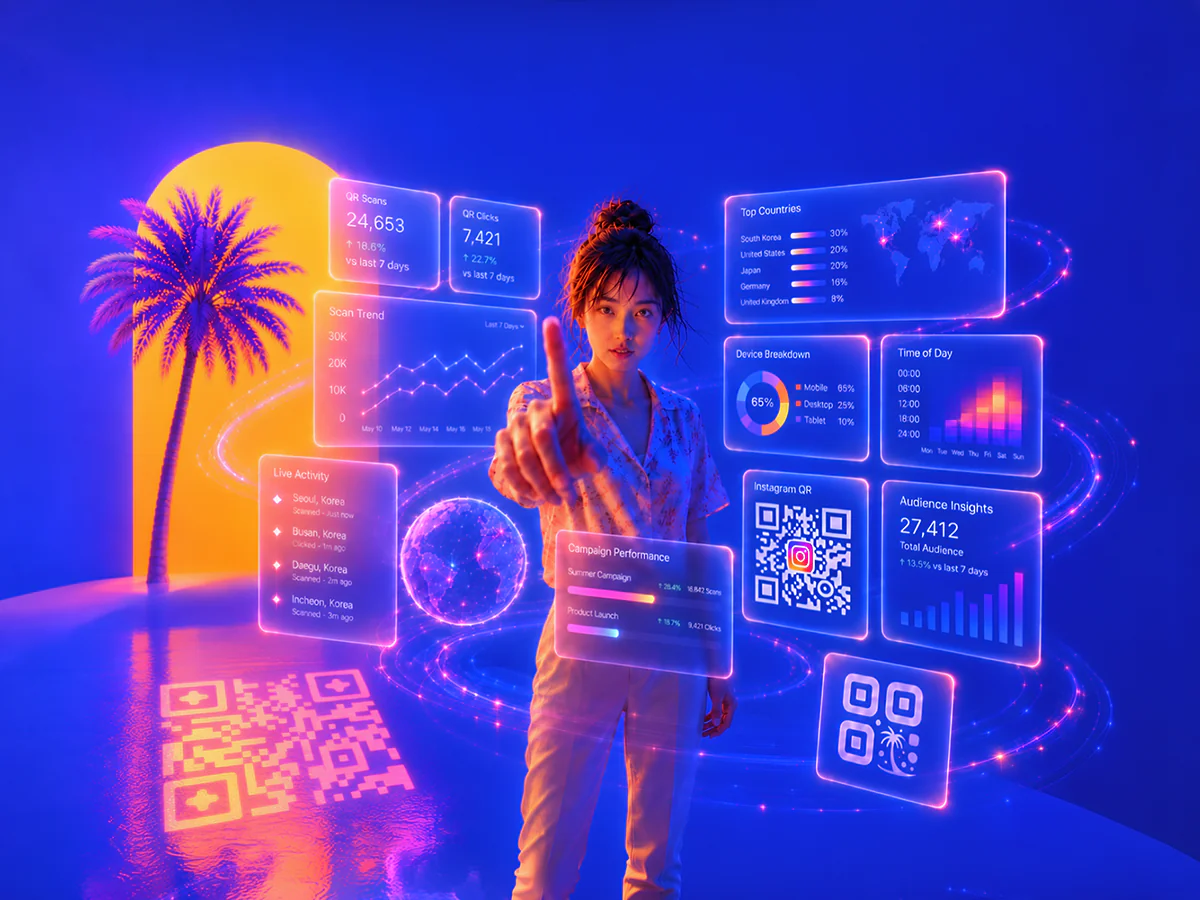
QR Code AI provides in-depth analytics, including scan locations, device types, times of scans, and user demographics. QR Code AI analytics help you monitor engagement, optimise campaigns, and understand behaviour trends, so you can adjust your strategy in real time.

QR Code AI provides comprehensive tracking data, including real-time insights on scans, user demographics, and engagement trends: Analytics include device, browser, geo-location, UTM parameters, scan validation, and bot filtering to support campaigns of any size.

No, QR Code AI does not collect personal information about individual users, so QR Code AI cannot identify who scans a QR code. QR Code AI does provide general analytics on scan locations, device types, and times, which helps you understand engagement trends without identifying individuals.

Yes, QR Code AI allows you to integrate QR codes with Google Analytics by using UTM parameters. This gives detailed tracking on user interactions, helping you monitor engagement, traffic sources, and campaign performance within Google Analytics.

Yes. QR Code AI is safe to use. QR codes generated by QR Code AI are tamper-proof, GDPR-compliant, and run on encrypted servers with built-in anti-scam protection that blocks fake QR codes and phishing redirects, an increasing concern documented by the UK NCSC as quishing. The platform never collects personal information from scanners, only anonymised analytics like location, device, and scan time.

QR Code AI collects non-personal, anonymised data from scans, including scan locations, device types, times of scans, and total scan counts. QR Code AI uses this data to provide insights into engagement patterns without collecting identifiable information, supporting user privacy and GDPR compliance.

QR codes themselves don’t collect personal information, but if they link to websites or forms, they may prompt people to share data such as contact details. QR Code AI only gathers non-identifiable analytics like scan locations and times to support privacy. This approach aligns with GDPR and helps minimise risks identified in NCSC phishing guidance.