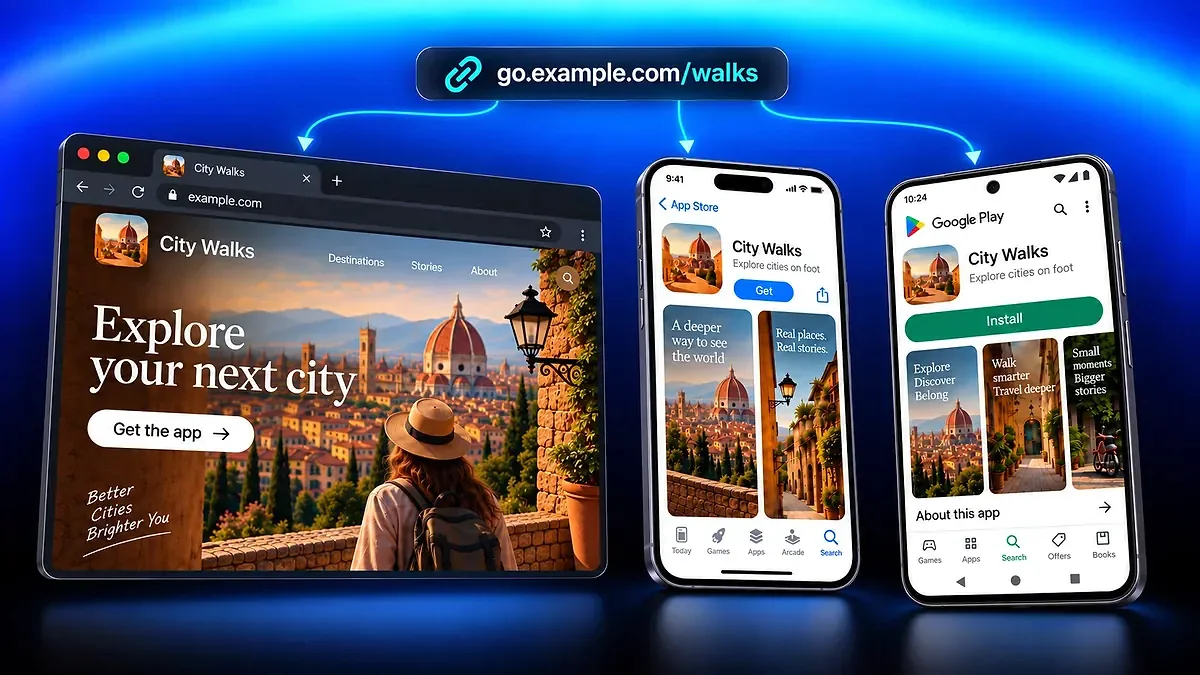
App Download Link
Share one app link across your campaigns, send visitors to the matching store or website, and track clicks.
QR Code AI's custom QR code generator lets you add your logo, choose brand colours, set a background, or create a transparent QR code. Design unique shapes (circles, rectangles, triangles, and hearts) and generate professional, scannable codes for platforms like Facebook, LinkedIn, Instagram, Line, and WeChat, or for specific use cases such as WiFi access and URL sharing. Ideal for businesses, events, and marketing campaigns.








Custom QR codes help you maximise marketing by matching your brand’s look and feel. Create your own QR code and personalise everything, from logos in the centre to colours like blue, green, or orange QR codes, and unique QR shapes such as QR code other shape or QR code with image in the middle. Add a transparent or coloured background for standout designs. Use dynamic QR codes for better tracking, and generate codes for platforms like YouTube, Line, WeChat, or fun projects like a Rick Roll QR code. You can also create QR code stickers or add an image or picture for more impact. Custom QR codes capture attention, boosting user interaction and conversion rates. According to recent industry data, 40% of global QR code scans are linked to marketing campaigns, making them essential for industries like retail, which saw a 247% surge in usage.

Level up your QR code capabilities with powerful features like Artistic QR Codes by AI, flexible dynamic QR codes, and short links for efficient sharing. Track performance with detailed analytics, add personalisation with custom domains, and manage multiple campaigns with workspace management. You can even integrate QR codes directly into Apple Wallet for easy access.
Share one app link across your campaigns, send visitors to the matching store or website, and track clicks.
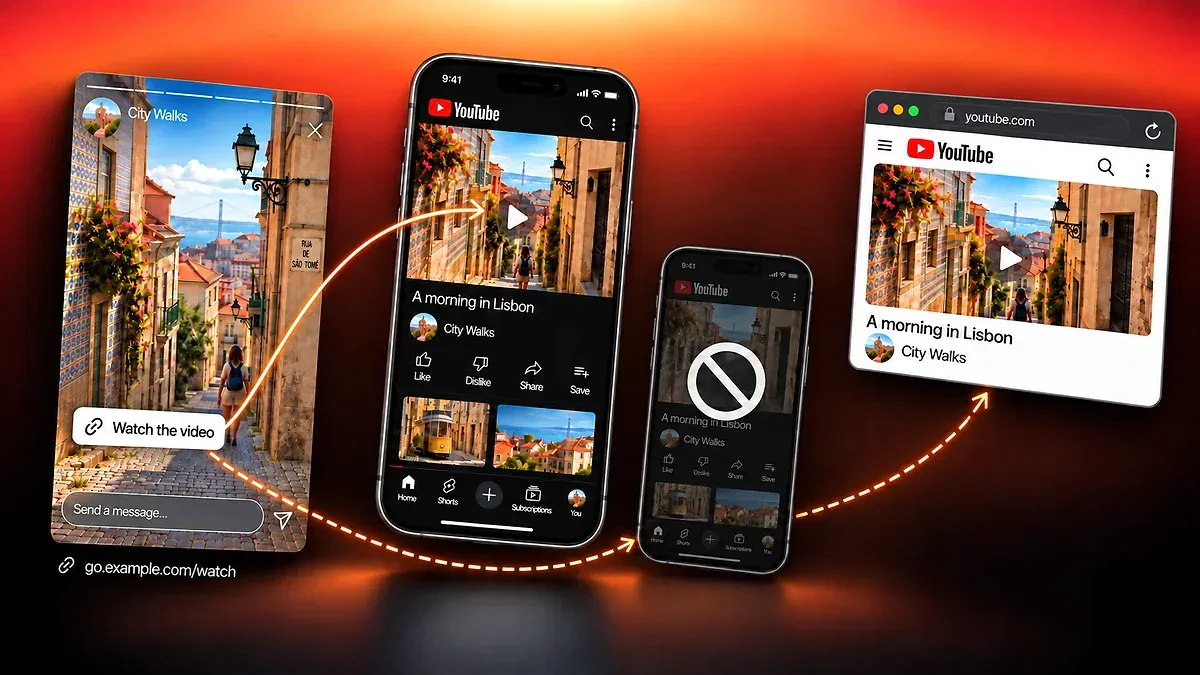
Share compatible content with a link that opens it in the app when possible, keeps a web fallback and tracks clicks.
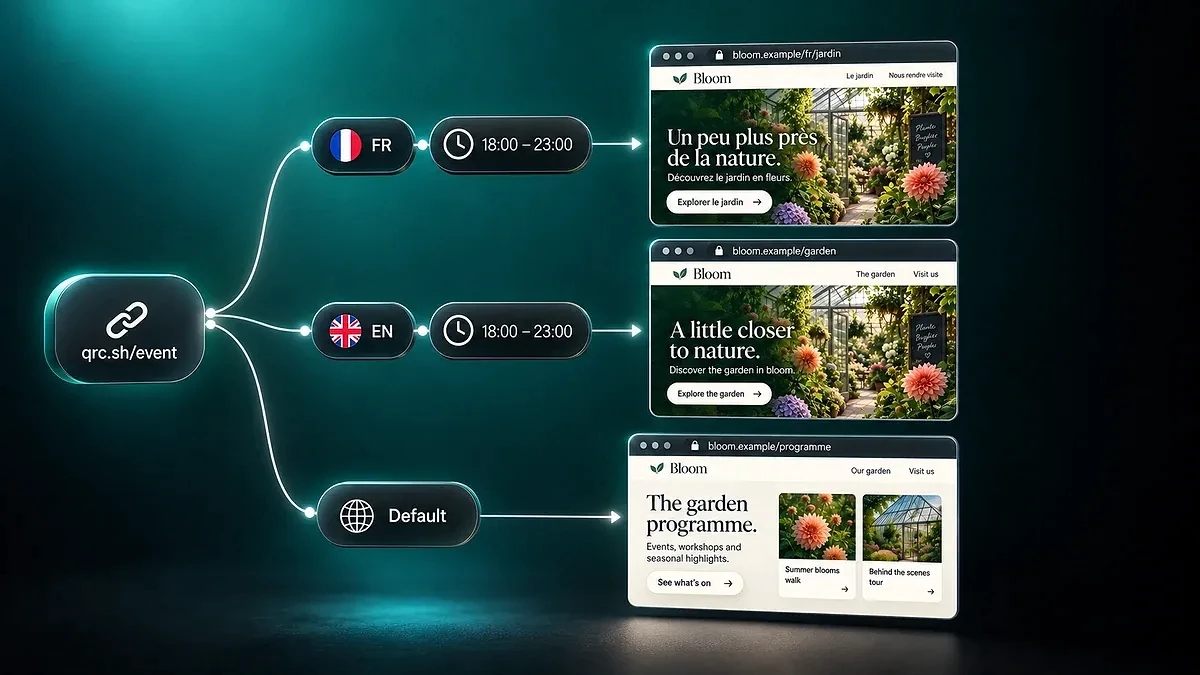
Send visitors to relevant URLs with Destination Rules for QR codes and Smart Links. Set conditions, simulate routes, and check the fallback.
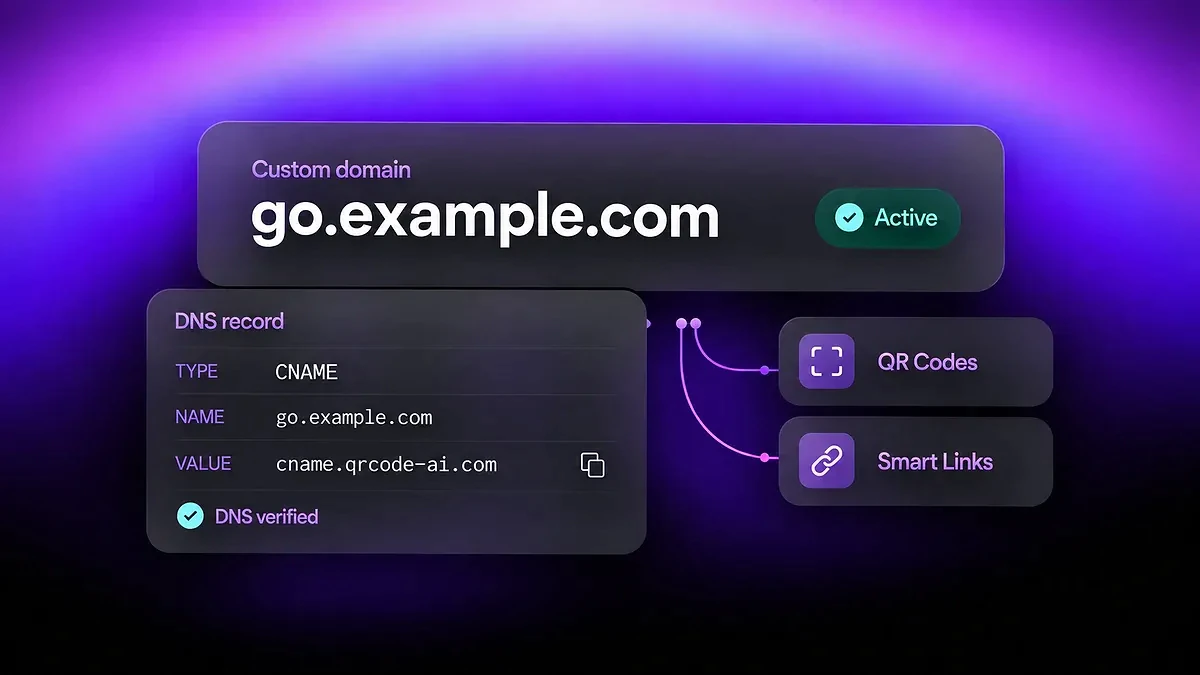
Connect your own domain to QR Code AI. Create branded QR code URLs and short links, verify DNS, check domain health, and set a root redirect.
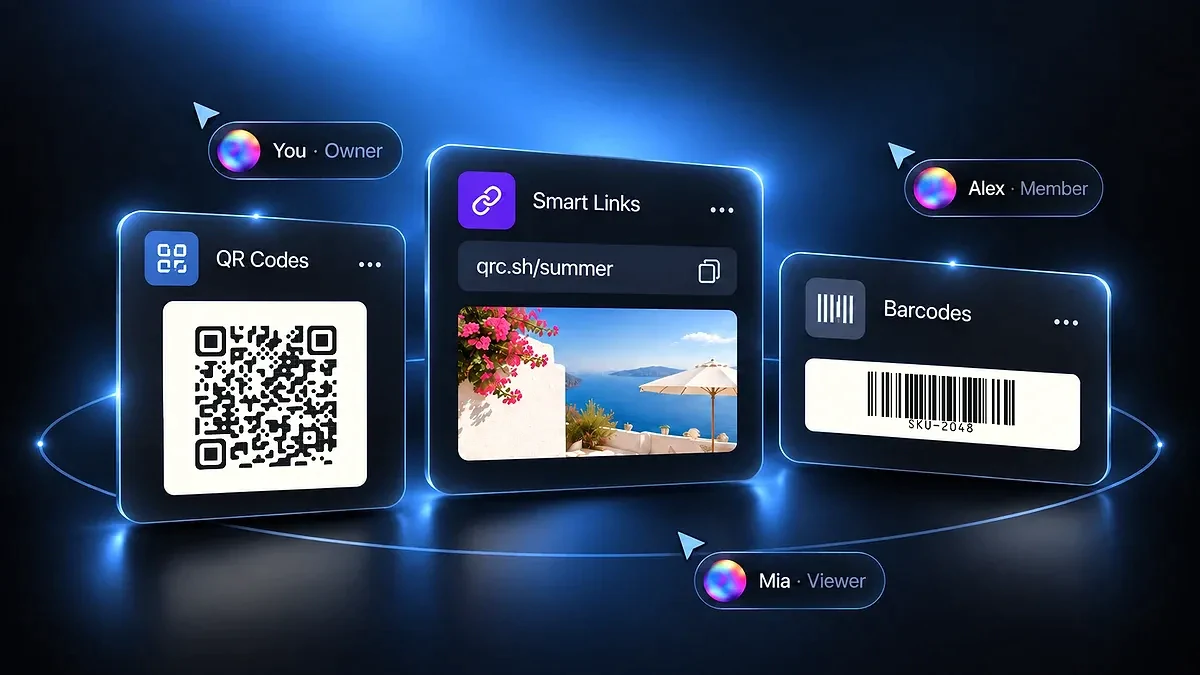
Share QR codes, Smart Links, and Barcodes with your team. Assign roles, separate client campaigns, and review Workspace activity.
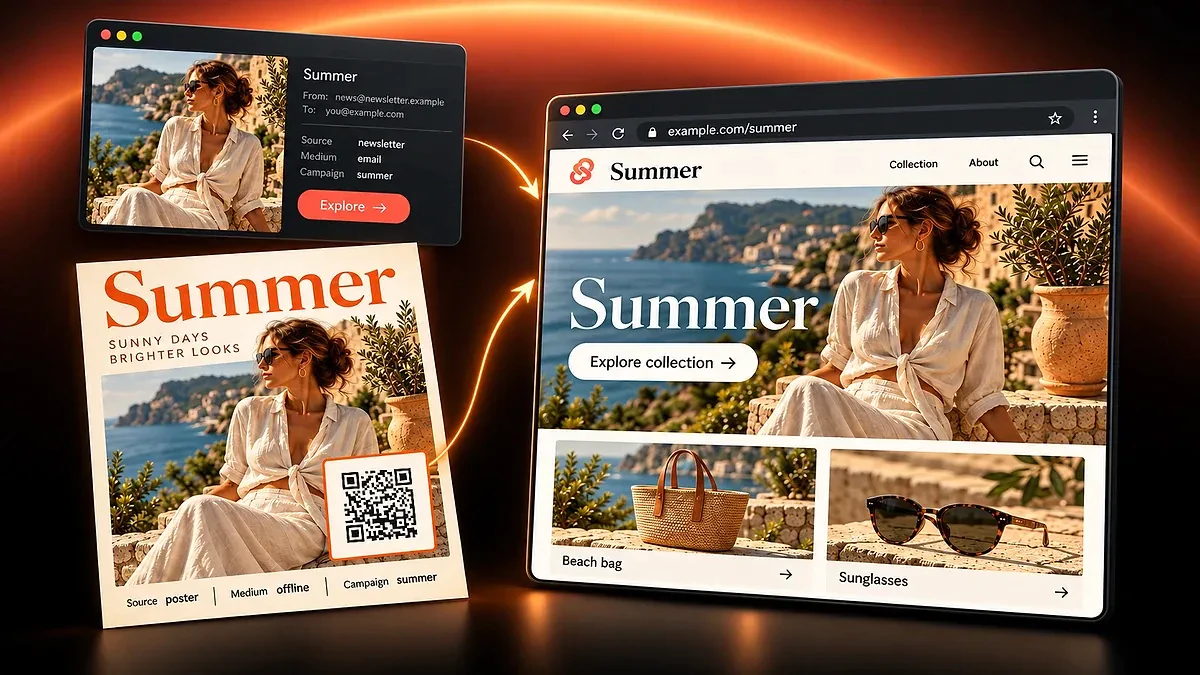
Add UTM parameters to your destination URL, then continue in the Smart Link or QR code editor. Keep source, medium, and campaign names consistent.
No, QR codes don't have to be black and white. With our QR code generator, customisation is extensive, with 50+ parameters. You can choose custom styles, including colours, shapes, and logos. Additionally, our AI-powered art style options allow you to generate QR codes with unique and artistic designs, ensuring your QR code stands out while maintaining its functionality.
Yes, with our custom QR code generator, you can fully customise your QR code. You can change colours to create a QR code green, QR code blue, or QR code orange, add your logo, and adjust the shape. You can also modify the background or make it transparent. These features make it easy to create a QR code that reflects your brand or design preferences.
To include a QR code in your design work, generate your custom QR code and download it in high-resolution formats such as PNG, SVG, or PDF. You can then integrate it into design software like Adobe Photoshop or Canva, ensuring your QR code matches your brand's visual identity.
To create a QR code with a logo, simply use our custom QR code generator. Upload your logo file, position it within the QR code, and adjust its size to create a QR code with logo in the middle. Adding a logo helps reinforce your brand identity and makes your QR code easily recognisable.
Yes, our tool allows you to fully customise the colours of your QR code. Choose a background colour and change the colour of the QR code itself. By matching your QR code's colours to your brand's style, you ensure a cohesive design that fits your marketing materials. As highlighted in recent studies, such as those on the application of QR codes for colourimetric sensors, the proper use of colour can significantly enhance both functionality and aesthetic appeal without compromising scannability.
Yes, if you create a dynamic QR code, you can edit the content linked to the QR code even after it's been printed or shared. This feature allows you to update URLs, contact info, or any other data without needing to generate a new code.
Custom QR codes can be used for a variety of purposes, including marketing campaigns, business cards, events, and product packaging. Adding your logo and colours makes it easier for users to engage with your content. Brands like Coca-Cola and Pepsi have successfully utilised QR codes on their product packaging to engage consumers with interactive content and promotions, enhancing the overall customer experience.
Our generator supports various types of QR codes, including those for URLs, WiFi connections, email addresses, vCards, and more. You can fully customise each QR code by adding logos, colours, and unique shapes to fit your specific use case.
AI helps in designing custom QR codes by suggesting colour schemes, creative shapes, and artistic designs that keep QR codes functional and engaging. According to the [New York Times](https://www.nytimes.com/2024/05/16/fashion/artificial-intelligence-advertising-jewelry.html), AI tools are transforming marketing by improving design efficiency and personalising content for better user interaction. This ensures that your QR codes not only stand out visually but are optimised for marketing success.
Yes, QR Code AI offers a freemium model for creating custom QR codes for free. The free tier lets you create and download custom QR codes with logos, colours, shapes, and built-in analytics, with a limited number of generations. Premium unlocks unlimited generations, exclusive QR code art templates, advanced AI prompts, and API access. Pricing is geo-localised across 40+ currencies to stay accessible worldwide.
You can download your custom QR codes in PNG, SVG, and PDF formats. These high-quality formats are ideal for both print and digital use, ensuring your QR code remains scannable and visually clear across all platforms.