Free QR Code Generator with AI-Powered Art

Free QR code generator that helps you create QR codes with AI-powered artistic designs. Add logos, brand colours, and unique shapes for website URL, WiFi, PDF document, YouTube, and more. Generate scannable, customised QR code designs in seconds.

COMPANIES OF ALL SIZES TRUST US

How to Create a Bulk QR Code Generator for Free Online

Create branded, trackable QR codes in three steps using this free QR code generator. Use the bulk QR code generator for campaigns, generate UPI QR codes for instant payments, or create QR codes for websites, business cards, vCards, WiFi, PDF documents, Google Reviews, Instagram, Facebook, and WhatsApp. Download in high-quality PNG, SVG, or PDF format. Static types encode the destination directly into the code.

Choose Your QR Code Type from 60 Options

Select the type of content your QR code will link to: URL, UPI payment, WiFi, PDF, vCard, business card, Google Reviews, or social media profiles like Instagram, Facebook, WhatsApp, and TikTok. QR Code AI supports 60 content types, including bulk QR code generation for retail and marketing campaigns, each with optimised input fields and design previews.
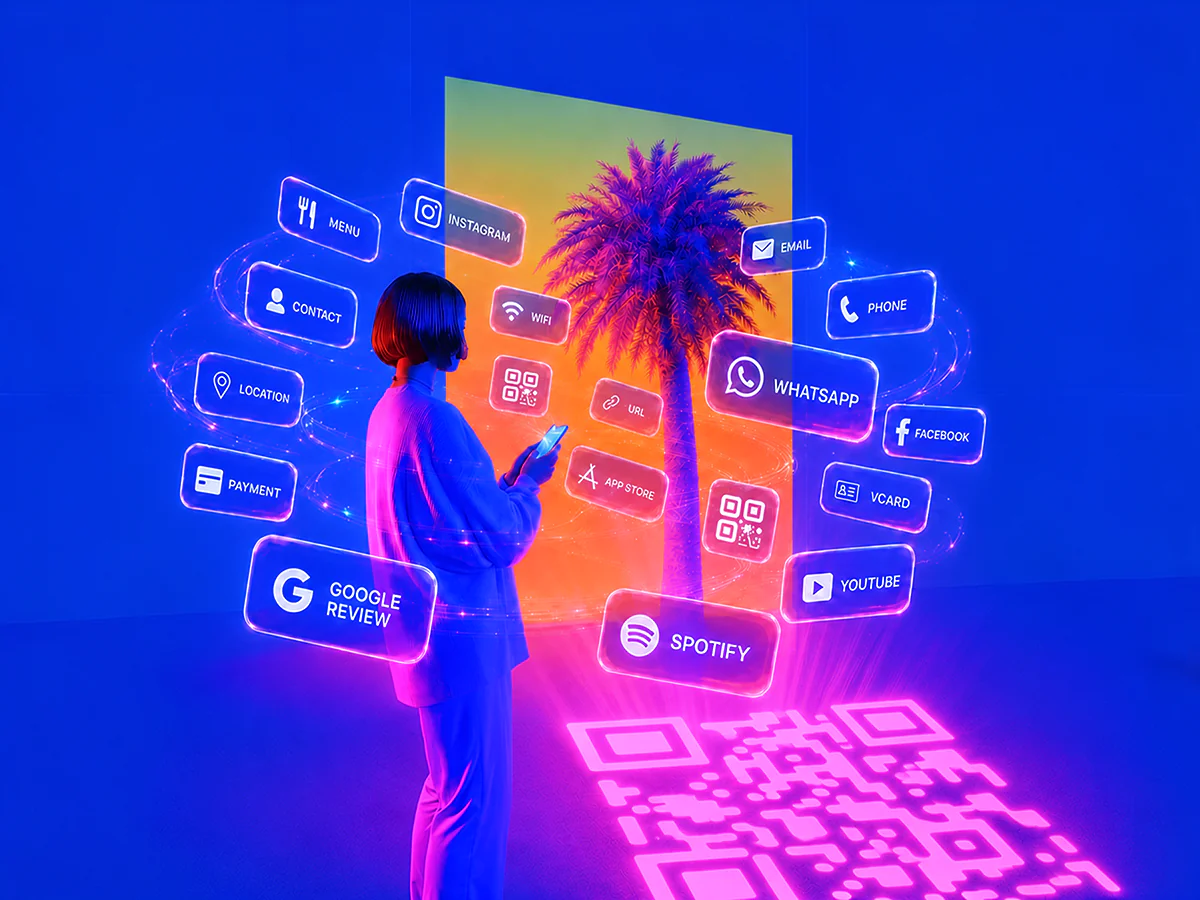
Woman holding a smartphone in front of glowing neon buttons for QR code content types like Menu, Instagram, WiFi, URL, WhatsApp, Facebook, vCard and YouTube, with a pink QR code projected on the floor.

Customise Your QR Code Design

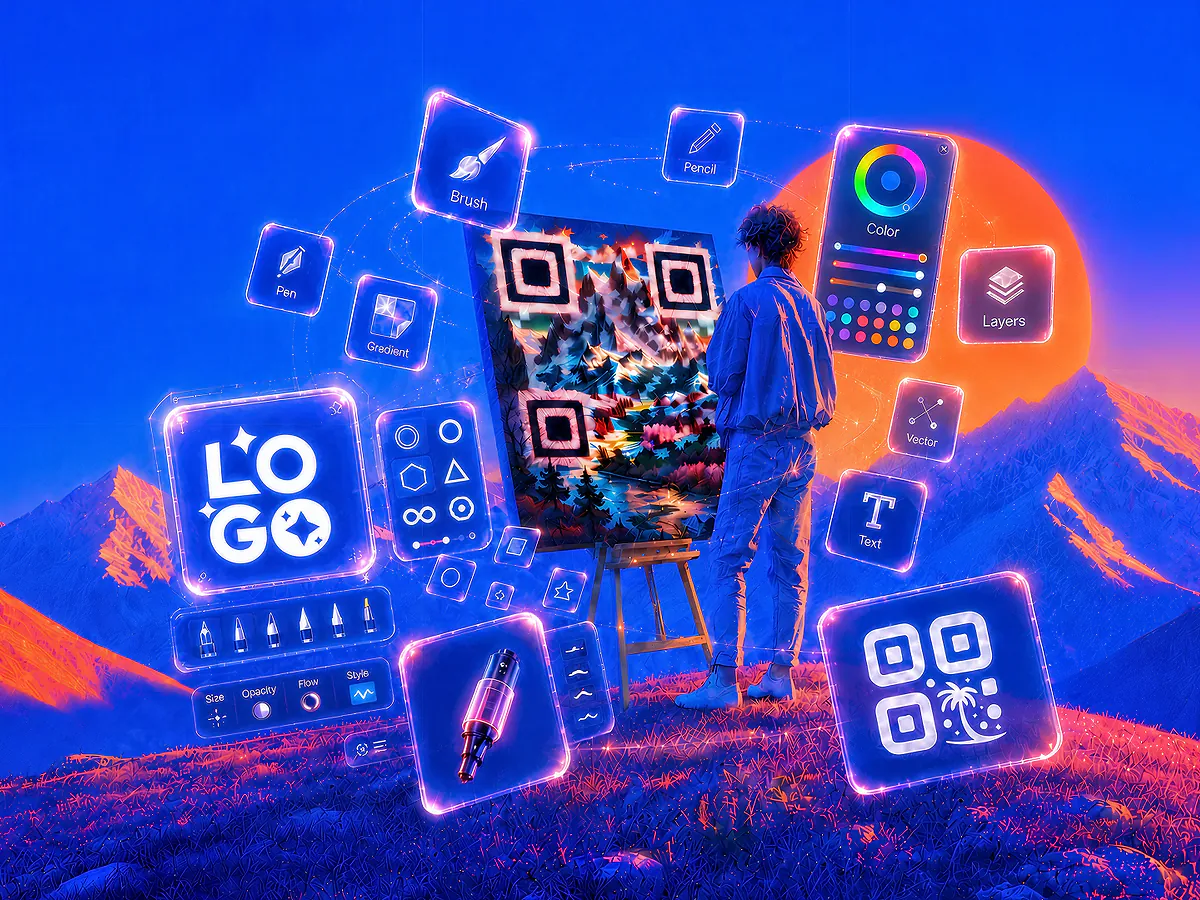
Add your logo, choose brand colours, and select a shape: heart, circle, square, or custom. Enable a transparent background or add a frame. For artistic designs, use QR code art to generate AI-powered styles that turn your QR code into a unique visual while keeping it fully scannable.

Artist painting a custom landscape QR code on an easel, surrounded by glowing neon design tools for brush, pen, colour, layers, vector and logo, illustrating QR code design customisation.

Download, Print, and Track Scans

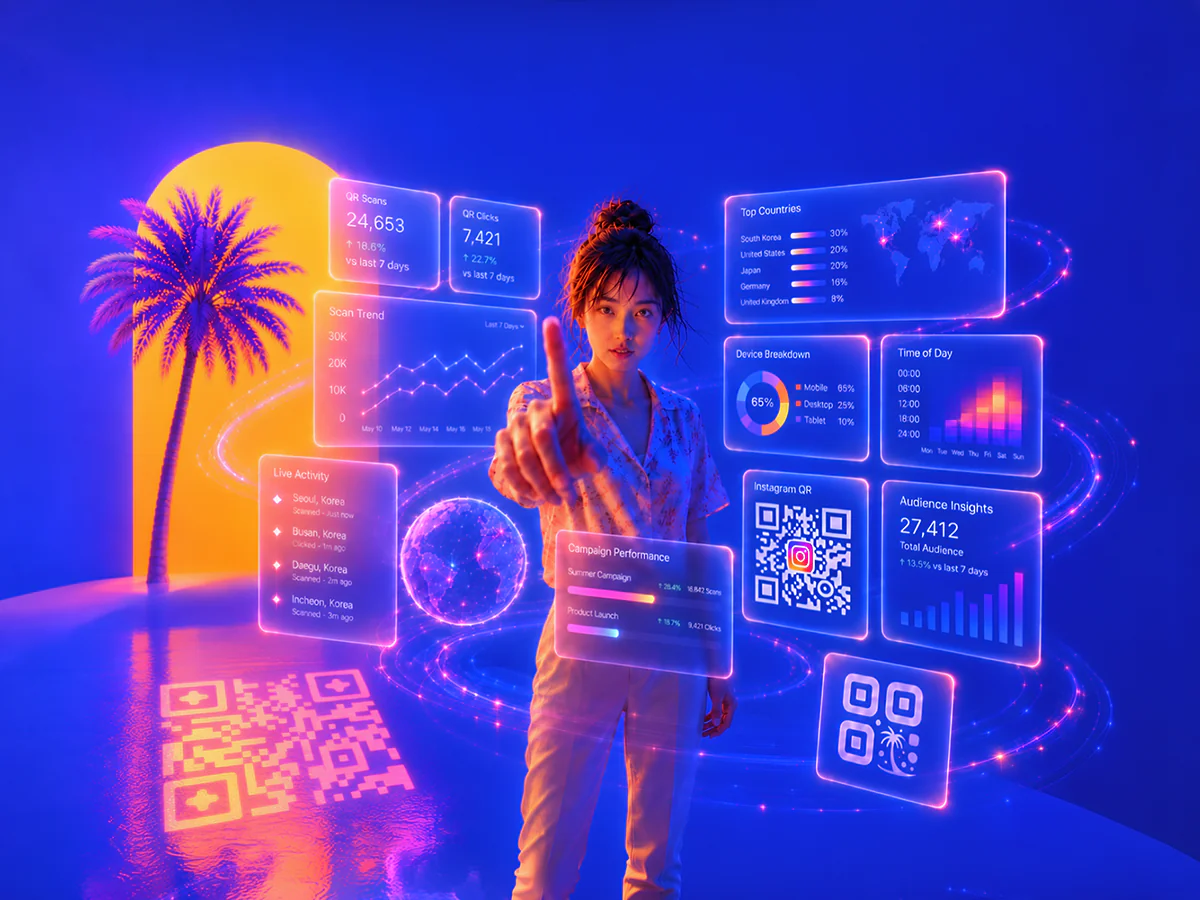
Download your finished QR code in PNG, SVG, or PDF format for digital use or high-quality printing: Use it on visiting cards, menus, flyers, packaging, or event materials. Track scan performance with built-in analytics, or integrate with Google Analytics using UTM parameters.

Person surrounded by glowing neon analytics dashboards showing QR code scans, clicks, top countries, device breakdown and campaign performance, illustrating real-time QR code scan tracking.

Three QR Generators in One: Custom QR Code, QR Code Art, and Image QR Code

Unlike a basic Adobe QR code generator or Canva QR code generator, QR Code AI combines three QR creation modes in one tool: Custom QR Code with 50+ design parameters, QR Code Art generated from text prompts (a feature no major competitor offers), and Image QR Code overlaid on any background. Every code is verified by a built-in scannability checker and runs on encrypted, GDPR-compliant servers with anti-scam protection that blocks fake QR codes and phishing. Dynamic types route through an editable link so you can change the destination after printing and track every scan, while static types encode the destination directly into the code.

Colourful QR code monkey, QR code with dinosaur, Instagram logo QR code, WeChat QR code, and a safe icon on a vibrant background in a futuristic city at night
After
Black and white QR codes with a hooded hacker in a futuristic cityscape, illustrating QR code scam, fake QR code, phishing, and QR code security risks
Before
Create Your QR Code

Built to Scale

QR Code AI’s infrastructure processes hundreds of millions of QR codes and scans every month, scaling with businesses of every size across 150+ countries.

QR Codes Created

12.4M

QR Codes Scanned

76.8M

QR Code Templates

1200+

Why QR Code AI Beats Adobe, Canva, QRCode Monkey, and QR Tiger

QR Code AI is the only major free QR code generator with AI Art built in: Combine AI-powered designs, 50+ customisation parameters, dynamic QR codes, scan intelligence, and 60 content types from UPI payments and WiFi to PDF. Create and download your QR codes for free, no credit card required.

Stylised QR code with a palm tree icon, a free label, and an infinity symbol inside blue spheres on a dynamic digital background

Free to Start

Create custom QR codes for free across all three modes: Custom QR Code, QR Code Art and Image QR Code. Add your logo, colours and shapes, then download in PNG, SVG or PDF. No credit card required.

30% growth indicator with a stylised QR code and palm tree icon on a vibrant blue background with digital squares and a hand holding a smartphone

Up to 30% More Scans with Custom Designs

Custom-branded QR codes with logos, colours, and unique designs attract more attention than standard black-and-white codes. Based on QR Code AI platform data, artistic QR codes receive up to 30% more scans on average.

Stylised QR code icon next to a stopwatch on a vibrant digital background with blue and orange squares

Static and Dynamic QR Codes

Static types encode the destination directly into the QR code, while dynamic types route through an editable link so you can change the destination after printing and track every scan.

Colourful QR codes with rounded and square designs featuring logos from McDonald's, Starbucks, Red Bull, Chanel, Ferrari, and MrBeast on a vibrant digital background

Customisation for Branding

Align your QR code design with your brand identity by customising logos, colours, backgrounds, and shapes, so your QR codes look consistent across packaging, posters, and social media.

Artificial Intelligence (AI) graphic featuring a stylised QR code icon with a laptop on a vibrant, futuristic digital background with glowing cubes

AI-Powered Capabilities

Use AI to create advanced artistic designs, track scan performance, and analyse real-time data, so you can optimise QR code marketing campaigns across channels.

Creative QR code examples with logos from Amazon, Google Drive, Gmail, App Store, WiFi, Iron Man, Dragon Ball, and Minecraft displayed on a vibrant digital background

Examples Library

Browse a comprehensive library of QR code templates for WiFi, website URL, visiting cards, vCard, LinkedIn, Instagram, WeChat, forms, and more, ready to customise and use instantly.

Digital locked folder with QR code examples, featuring a Starbucks logo and a Japan-style portrait QR code on a futuristic blue and orange background

Advanced Security

Protect your QR codes with encryption and secure tracking, helping you reduce the risk of fake QR codes and giving peace of mind to your customers and teams.

Set of QR code type icons including URL, email, phone, SMS, text, WiFi, vCard, form, UPI, PIX, App Store, Instagram, YouTube, and more on a colourful digital background

60 QR Code Types Supported

From WiFi, website URLs, and LinkedIn to payment links and forms, QR Code AI supports 60 QR code content types to fit personal, business, and campaign needs.

Futuristic robot with QR code icons on its body and the text 'API' in the background, symbolising QR code integration with APIs in a vibrant digital setting

QR API Integration

Integrate with the QR code API to automate creation, updates, and management, so you can run bulk QR code generator workflows across teams and platforms.

Create My QR Code

All QR Code Types Supported by QR Code AI

QR code generator options on QR Code AI let you create personalised QR codes for any purpose with full customisation. Track scans to measure marketing performance and optimise campaigns across print, web, and social platforms.

Explore All QR Code Types

Frequently Asked Questions About QR Codes

Understanding QR Codes

A QR code (Quick Response) is a two-dimensional barcode that, when scanned by a smartphone or QR code reader, instantly opens online content such as websites, contact info, and more. Beyond simple links, QR codes can embed advanced functionalities like UPI payment flows, location sharing, event RSVPs, and multimedia files, making them ideal for quick, seamless sharing across marketing, events, and product touchpoints.

The father of the QR code is Masahiro Hara, an engineer at Denso Wave, who invented the QR code in 1994 in Japan to overcome barcode limitations, especially in the automotive industry. Denso Wave holds the patent but chose not to enforce it, which helped make the QR code widely accessible.

A QR code is a two-dimensional matrix that stores data both horizontally and vertically, so it can hold more information and be scanned from multiple angles. A barcode is one-dimensional, storing data only horizontally, which limits capacity and typically needs more precise alignment for scanning.

QR Code AI's bulk QR code generator lets you create hundreds or thousands of branded QR codes in a single batch via the dashboard or API. Upload a CSV of URLs or UPI IDs, choose a Custom QR Code or QR Code Art template, and every code inherits your logo, brand colours, and design. Each code can be static, encoding the destination directly into the QR code, or dynamic, routing through an editable link so you can change the destination after printing and track every scan.

Yes, people still use QR codes widely in 2026. QR code scanning continues to grow year on year, with millions using QR codes for payments, marketing, and quick access to information. In India, UPI has made QR codes a daily habit across shops and services, keeping them highly relevant and easy to use.

The future of QR codes in marketing is promising because QR codes keep evolving with technologies like augmented reality and blockchain. QR codes can power dynamic product information, secure digital transactions, and personalised, trackable experiences. With better analytics, brands can understand customer behaviour and optimise campaigns faster.

China leads global QR code adoption, with platforms like WeChat and Alipay using QR codes for daily payments; over 50% of Chinese consumers regularly scan QR codes for transactions. India also has high adoption due to UPI. The U.S. saw a surge post-pandemic, and Japan and South Korea are major users across shopping, transit, and hospitality.

A QR code is a printed pattern, so the pattern itself keeps working once generated. What matters is the destination it points to: static types encode it directly, dynamic types route through a link you control; with a custom domain on dynamic links they keep resolving as long as that domain stays active.

To scan a QR code, just open your phone's Camera app: iPhones (iOS 11 and later) and Android phones (version 9 and later) detect QR codes automatically and show the link, no separate QR code scanner app needed. On a computer you can use an online QR code reader by uploading a screenshot. Every QR code created with QR Code AI is instantly scannable.

Creating and Customising QR Codes

To make a QR code for free, enter your content in a QR code generator like QR Code AI, then customise it with options like colour, logo overlay, or QR code art for a personalised look: Download it in high-quality PNG, SVG, or PDF formats, ready for marketing, branding, or personal use.

Yes, QR Code AI lets you add a logo in the middle of your QR code. A QR code with logo is useful for branding because it makes the code recognisable on posters, packaging, and WhatsApp creatives. Adjust the logo size, placement, and colours so it blends well while keeping the QR code fully scannable.

To change the colour or background of your QR code in QR Code AI, choose your QR code type and open the customisation options. You can apply brand colours, set a transparent background, and add a logo overlay to match your style. After customising, download your QR code in high quality for print or digital use.

A dynamic QR code generator creates QR codes whose destination URL can be edited after the code is printed, without changing the code itself. QR Code AI's dynamic QR code generator stores a short redirect on every code and lets you swap the target page, A/B test landing pages, and track every scan with detailed audience intelligence: Geographic location, device, browser, and bot filtering. Static types encode the destination directly into the QR code; dynamic types route through an editable link so you can change the destination after printing and track every scan.

QR Code AI supports 60 QR code types for different use cases. You can create QR codes for website URL, email, WiFi, and social profiles like LinkedIn, Facebook, Instagram, and YouTube: It also supports payment links, event check-ins, location sharing, and multimedia. With advanced features like dynamic QR code and QR code art, you get flexible, trackable options.

You can download your QR code in high-quality PNG, SVG, PDF, and EPS formats on QR Code AI. These formats keep your QR code sharp for digital use and for printing on visiting cards, brochures, stickers, and signage.

Yes, QR Code AI’s API supports bulk QR code generation with full customisation. You can generate QR codes using templates like customised QR code and QR code art, including logo overlay, shapes, colours, and other design settings via API. This is ideal for high-volume, branded QR codes.

Yes, QR Code AI lets you convert QR codes from platforms like Linktree, QR Tiger, QR Monkey, Adobe, Canva, or even game codes from Mii, Pokemon, and Tomodachi Life: After importing, you can customise with logos, colour changes, and unique shapes to match your brand.

QR Code AI is a free QR code generator that supports UPI payment QR codes: choose the payment type, enter your UPI ID and amount, and the generator creates a scannable code that opens any UPI app (Google Pay, PhonePe, Paytm, BHIM) at checkout. It also works as a Google Map QR code generator (choose the URL type and paste your Google Maps location link). Add your logo and brand colors, download in PNG, SVG or PDF, and bulk-generate branded QR codes via the API for multiple outlets.

Analytics, Security and Privacy

QR Code AI provides detailed analytics such as scan locations, device types, scan times, and aggregated audience insights. These analytics help you monitor engagement, optimise campaigns, and understand performance trends, so you can improve your QR code marketing decisions in real time.

QR Code AI provides comprehensive tracking data, including real-time scan insights, user demographics, and engagement trends: Analytics include device, browser, geo-location, UTM parameters, scan validation, and bot filtering, supporting campaigns of any size.

No, QR Code AI does not collect personal information about individual users, so it cannot identify who scans a QR code. QR Code AI provides general analytics such as scan locations, device types, and scan times to help you understand engagement patterns.

Yes, QR Code AI lets you integrate QR codes with Google Analytics by using UTM parameters. This setup helps you track traffic sources, user interactions, and campaign performance inside Google Analytics.

Yes. QR Code AI is safe to use. QR codes generated by QR Code AI are tamper-proof, GDPR-compliant, and run on encrypted servers with built-in anti-scam protection that blocks fake QR codes and phishing redirects, an increasing concern flagged by India's CERT-In as quishing. The platform never collects personal information from scanners, only anonymised analytics like location, device, and scan time.

QR Code AI collects anonymised, non-personal scan data such as scan location, device type, scan time, and total scan counts. This data powers analytics insights without collecting identifiable personal information, supporting user privacy and GDPR compliance.

QR codes themselves don’t collect personal information, but QR code destinations like websites or forms may ask users to share details. QR Code AI only records non-identifiable analytics such as scan location and scan time to protect privacy. This approach aligns with GDPR and reduces risks reported on India's National Cyber Crime Portal.