Match language and time together
This fictional Bloom event uses French or English plus an evening time window. Other visits use the general event page. The illustration represents a setup, not live traffic.
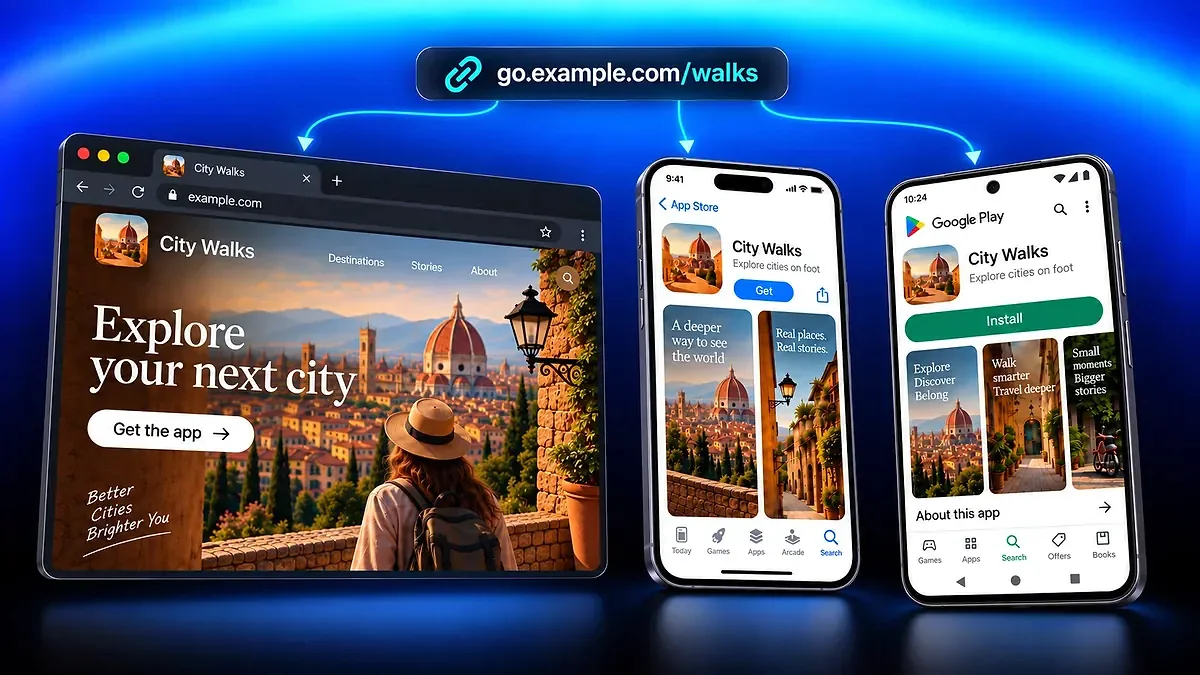
Send visitors to different destinations from one managed QR code or Smart Link. Use Destination Rules to match country, device, language, or time, with a default destination when no rule applies.







Destination Rules evaluate the visit after a managed QR scan or Smart Link click. All conditions within a rule must match, and the first matching rule wins.
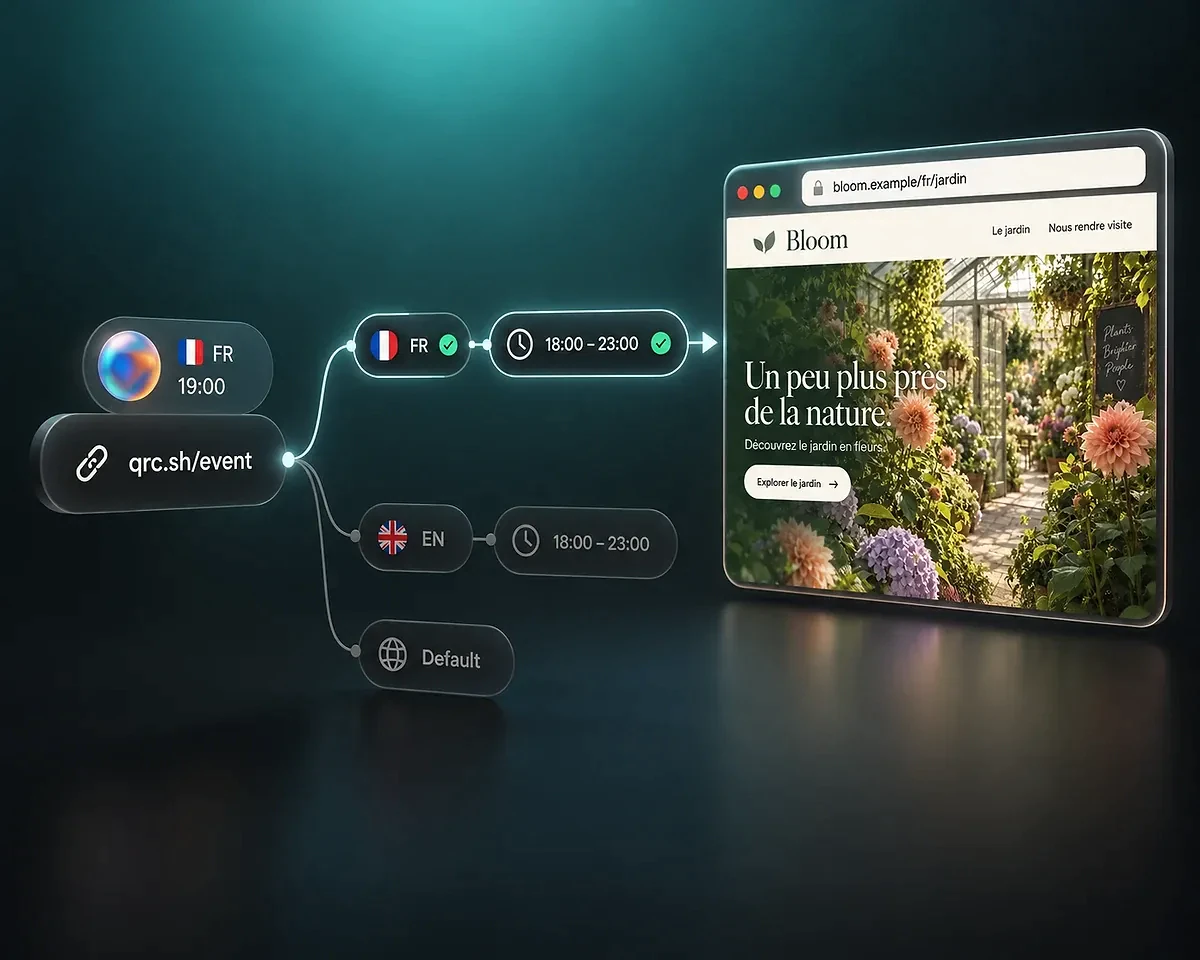
This fictional Bloom event uses French or English plus an evening time window. Other visits use the general event page. The illustration represents a setup, not live traffic.
A rule can split its audience between two to four destinations. The illustrated two-destination split uses 50/50 weights; configured weights must total 100%.
In this fictional Bloom setup, French and English visitors have separate rules for the 18:00–23:00 evening window. At 19:00, a French-language visitor matches the French rule and reaches bloom.example/fr/jardin. Both the language and time conditions must match.
Rule priority matters when audiences overlap. If you add a broader rule for the same evening hours in any language, put the specific French rule first. A French-language visitor at 19:00 then matches both, but only the first rule selects the destination. Use the simulator to check which reachable path wins.
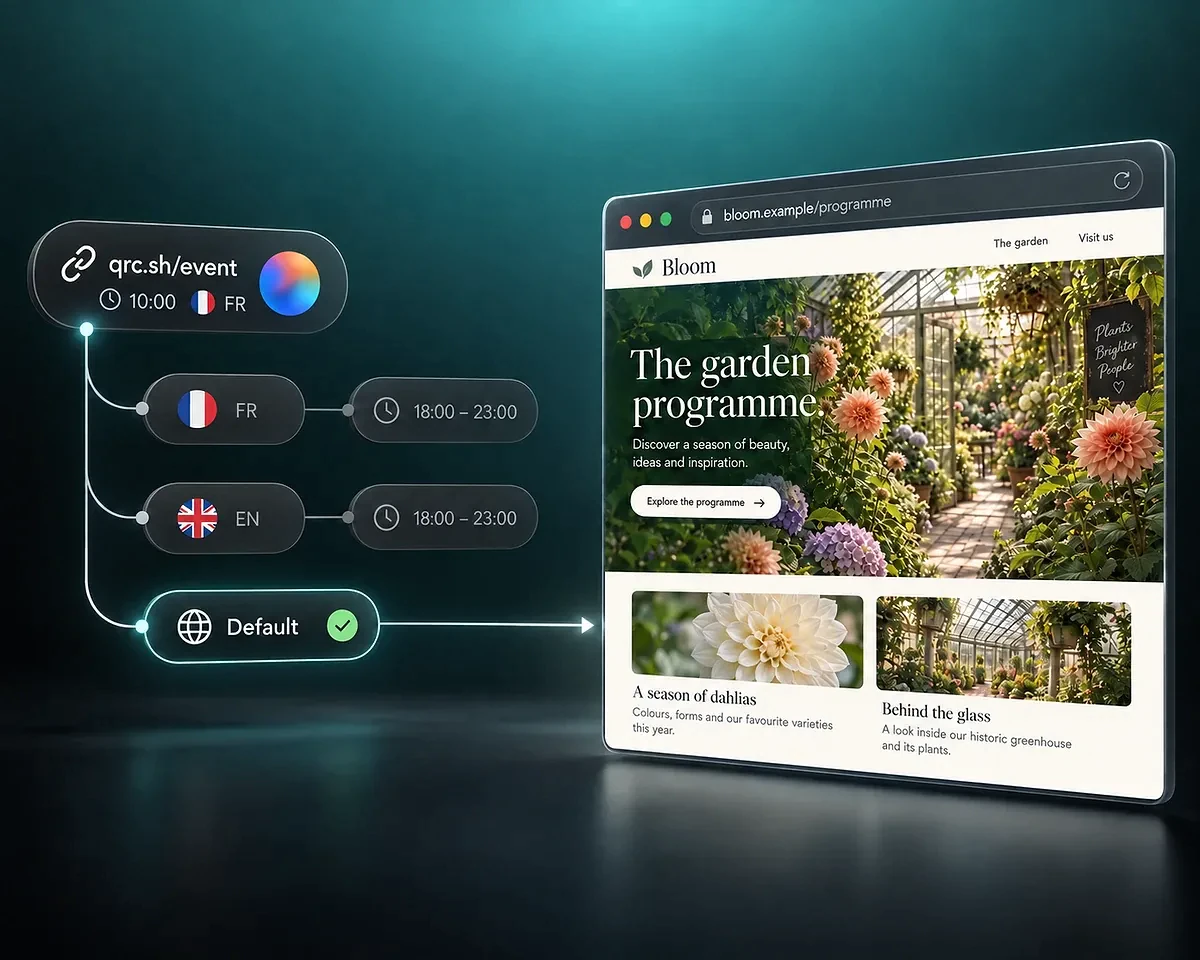
At 10:00, neither the French nor the English evening rule matches. The same shared address sends the visitor to the general Bloom garden program at bloom.example/programme, which is the default destination.
The default is a normal visitor destination, not an error page. It also remains the fallback when a selected outcome cannot be used. Unknown geography does not match a country-inclusion rule, and a rule requiring the visitor's timezone cannot match when that timezone is unavailable.
Combine useful conditions instead of creating a separate shared address for every audience.
Region and language. Choose country or continent conditions and match the visitor's primary language. A French-language rule matches fr, rather than a specific regional variant such as fr-CA.
Device and software. Use desktop, tablet, or mobile context, iOS or Android, in-app browser conditions, or supported software-version comparisons. Native app opening retains a web fallback.
Date, time, and visit context. Set date or time windows, including weekdays and overnight schedules. Other conditions cover new or returning visitors within the same UTC day, visit count, and exact referrer context.
Edit Destination Rules on a computer so the flow and its conditions remain readable.
Start with a working managed QR code or Smart Link. Open Destinations, define the audience conditions, choose external destination URLs, and order the rules.
Use the simulator's visitors for reachable destinations, including the default. Watch which path wins. A shadowed or contradictory rule may have no test visitor; review its conditions and priority.
Apply the setup to the QR code or Smart Link draft, then save the asset to update visitor delivery. Applying inside the rule editor alone does not publish the change.
A/B assignment is deterministic for the same network and browser context. It is not a permanent identity across devices, and changing the weights can change the assignment.
The number of visitors sent to a destination describes traffic distribution. Measure purchases or form completions on the destination site before drawing conclusions about conversion performance.
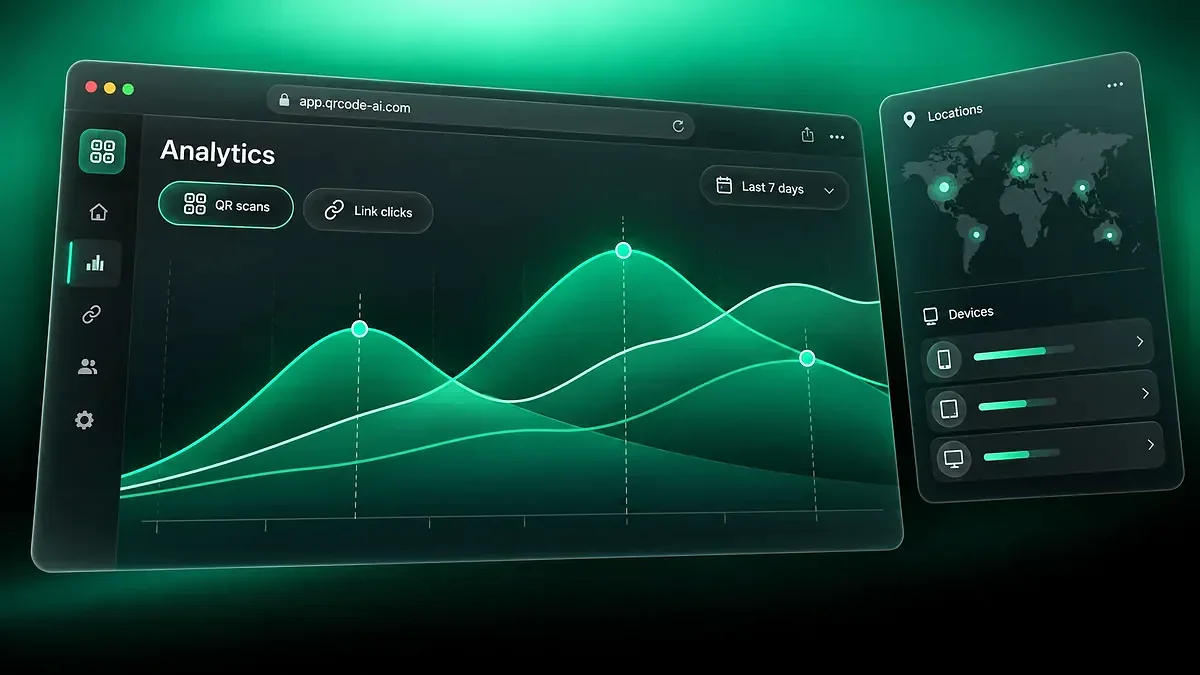
Use Tracking and Analytics to inspect recorded counts and shares for current rule outcomes, A/B branches, and the default. Historical traffic from removed rules stays grouped under Former rules.
The illustration shows sample shares of 62%, 28%, and 10%, not results from a live campaign. The view reports outcomes; editing rules happens in the destination editor.
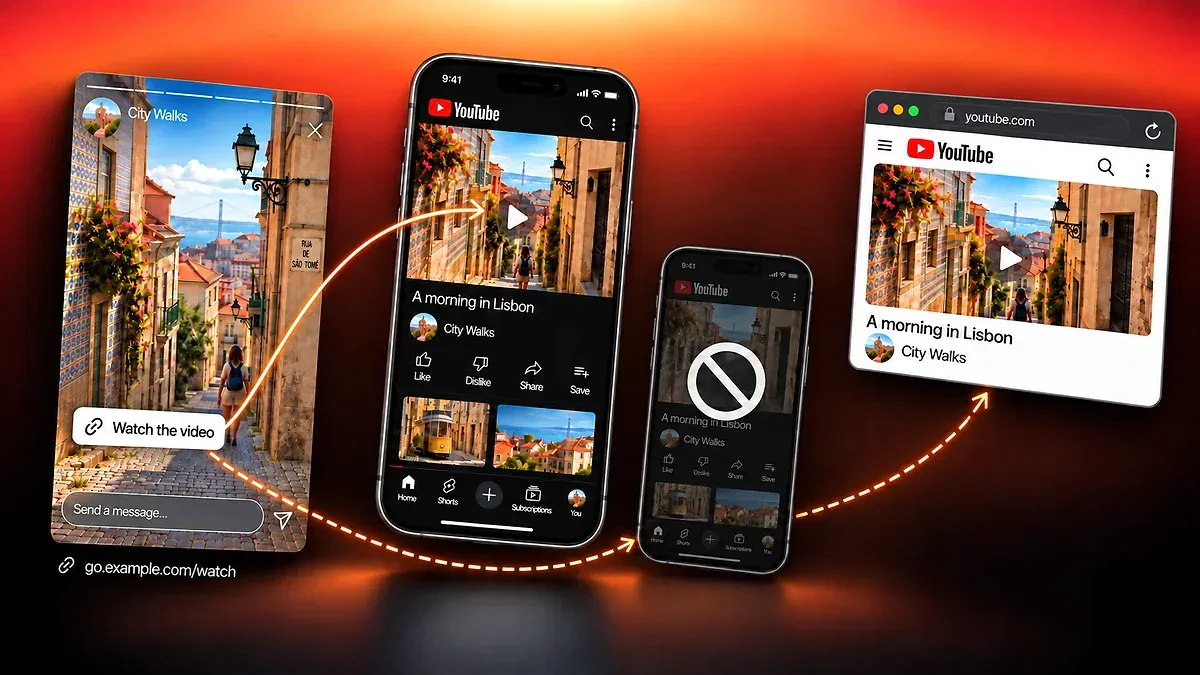
Use a specialized starting point when the destination depends on an app or its stores.
QR Code AI is used by 500,000 people across more than 200 countries. Together, they have created 4 million Smart Links.
4M
500K
200+
Contextual routing selects a destination using information about the visit, such as country, device, language, or time. In QR Code AI, the feature is called Destination Rules. It works after a managed QR scan or Smart Link click and keeps a default destination as fallback.
Destination Rules support all 20 Smart Link types and QR codes that resolve through QR Code AI, including remote web destinations, hosted experiences, and Forms. Direct QR content such as WiFi credentials, contact cards, payments, locations, calendar events, and plain text is excluded. For hosted content, its built-in page remains the default; rules point to outside web addresses.
The first matching rule in the visible priority order wins. Every condition within that rule must match. Put narrow, specific rules before broader ones and test what happens when no rule matches.
The twelve condition types cover country, continent, device, operating system, time and weekday, date, in-app browser, visitor status, visit count, language, referrer, and software version. An asset can have up to 20 rules, with up to five conditions in each rule.
Yes. A matching rule can split traffic across two to four destination URLs with weights totaling 100%. The A/B shortcut prepares a 50/50 starting point. Review the destinations, apply the rules, and save the asset before the setup changes live delivery. Traffic distribution alone does not establish a winning conversion rate.
No. It prepares illustrative test visitors for reachable outcomes so you can inspect the winning paths before saving. It does not generate visitor analytics. For A/B splits, it shows the configured weights rather than claiming to select a live experiment branch.
Editing is designed for computers. On phones and small tablets, the rule editor explains this requirement and keeps the built-in starting points browsable. The read-only rule-performance view follows the same screen rule.
You can create eligible assets within the free allowance of three QR codes and three Smart Links per personal account or Workspace. The first QR code or Smart Link creation starts that scope's seven-day trial; an eligible first visit can start it for an asset created outside that flow. After the trial, Premium is needed for continued dynamic QR and Smart Link delivery, including routing visitors through their rules.