The preview people see
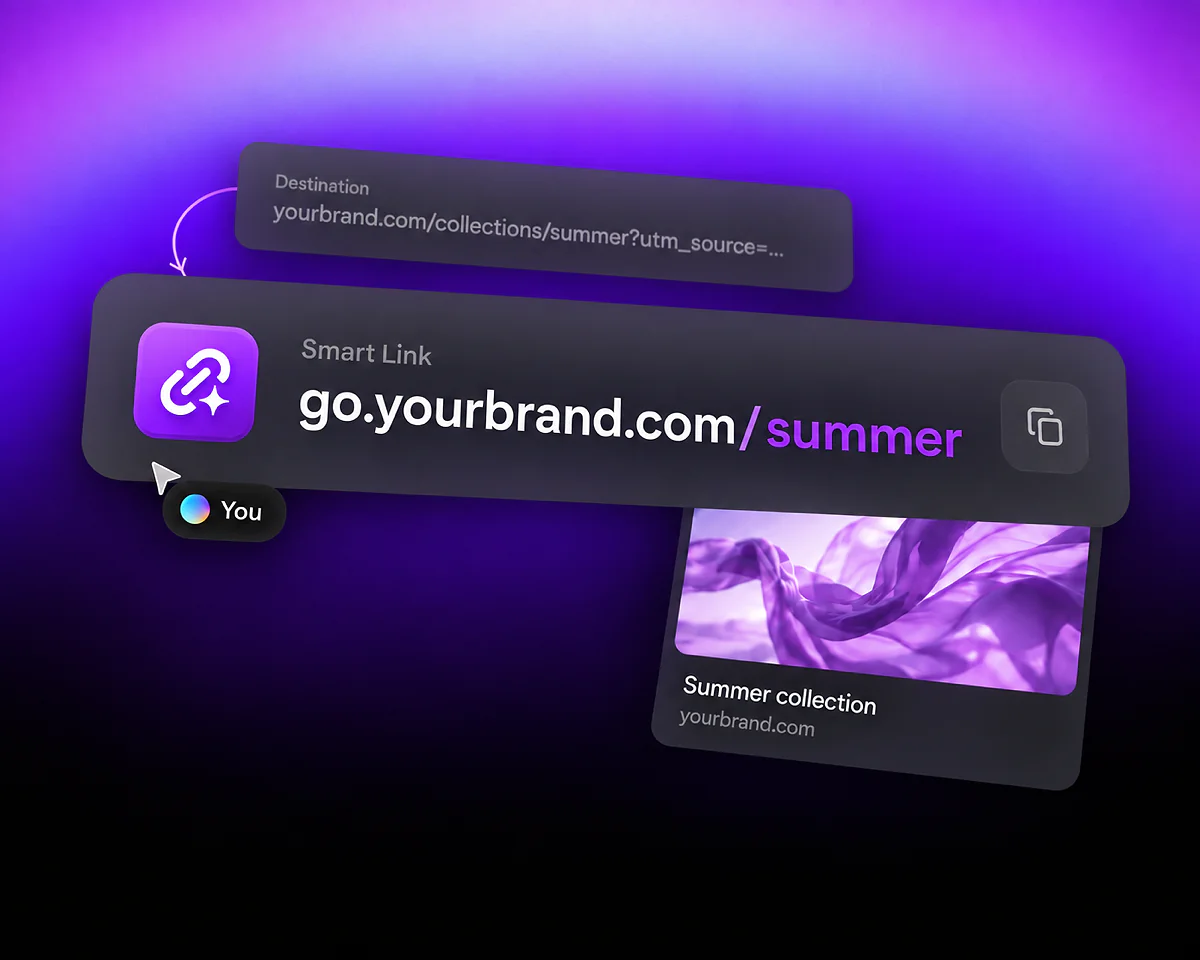
Set the title, description and image for supported sharing experiences. The illustration is an editable preview example; each messaging or social platform controls how it displays the result.
Turn a long web address into a short link you can edit and measure. Choose its address, set the destination and customize the sharing preview in QR Code AI.






Your shared address, destination and preview each have a different job. Changing the page a link opens does not require a new address.
Set the title, description and image for supported sharing experiences. The illustration is an editable preview example; each messaging or social platform controls how it displays the result.
The short address is what you share. The destination is the page it opens. Use qrc.sh with an available path, or select a custom domain you own and have verified. Update the saved destination when your campaign changes.
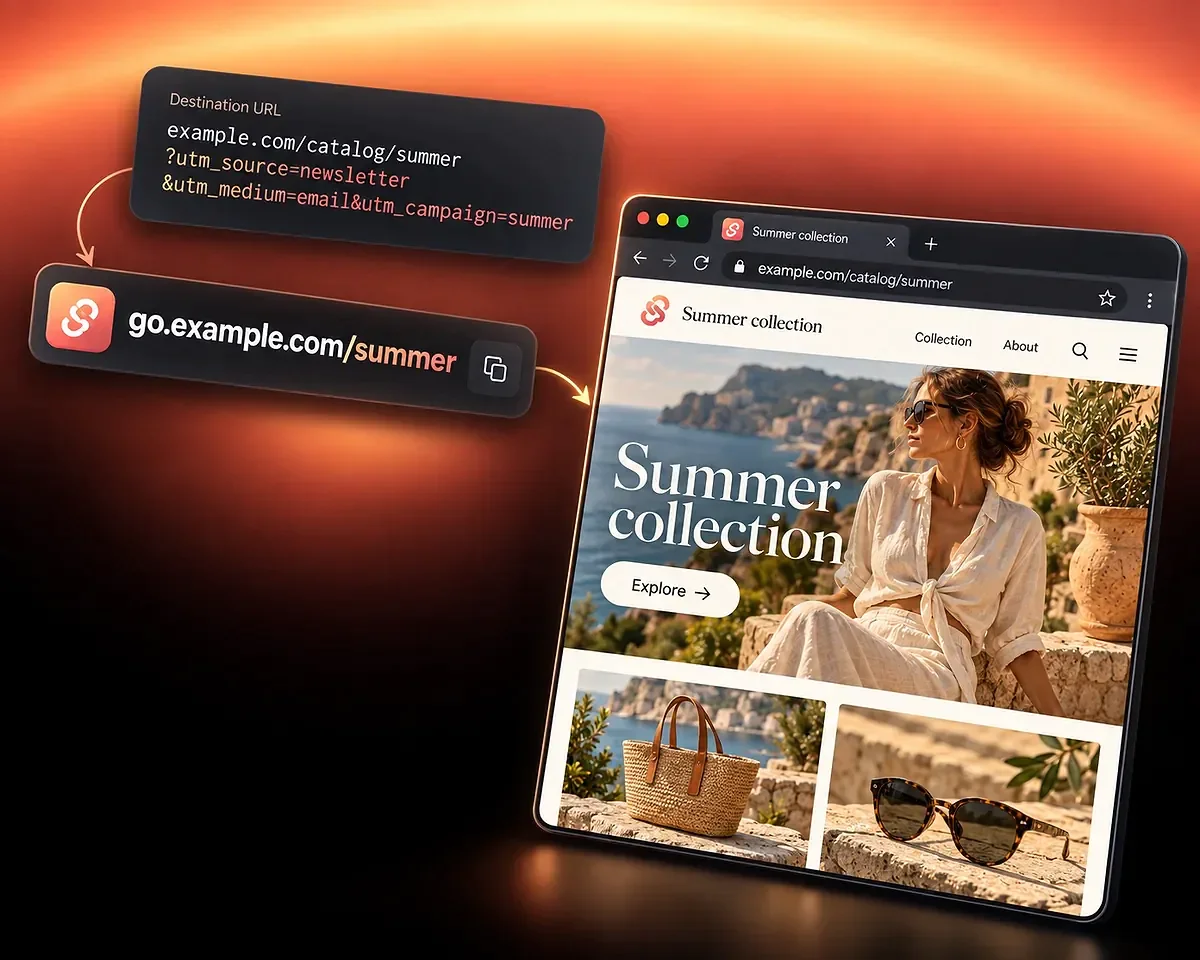
See how a short address works with a campaign URL and an updated destination. The example.com addresses shown here are fictional examples, not links created for you.
Your destination might be example.com/catalog/summer with utm_source=newsletter, utm_medium=email and utm_campaign=summer. The UTM Builder adds these values to an eligible destination URL. With a custom domain you own and have verified, the address you share could be go.example.com/summer. Choose a path that is available on your selected domain.
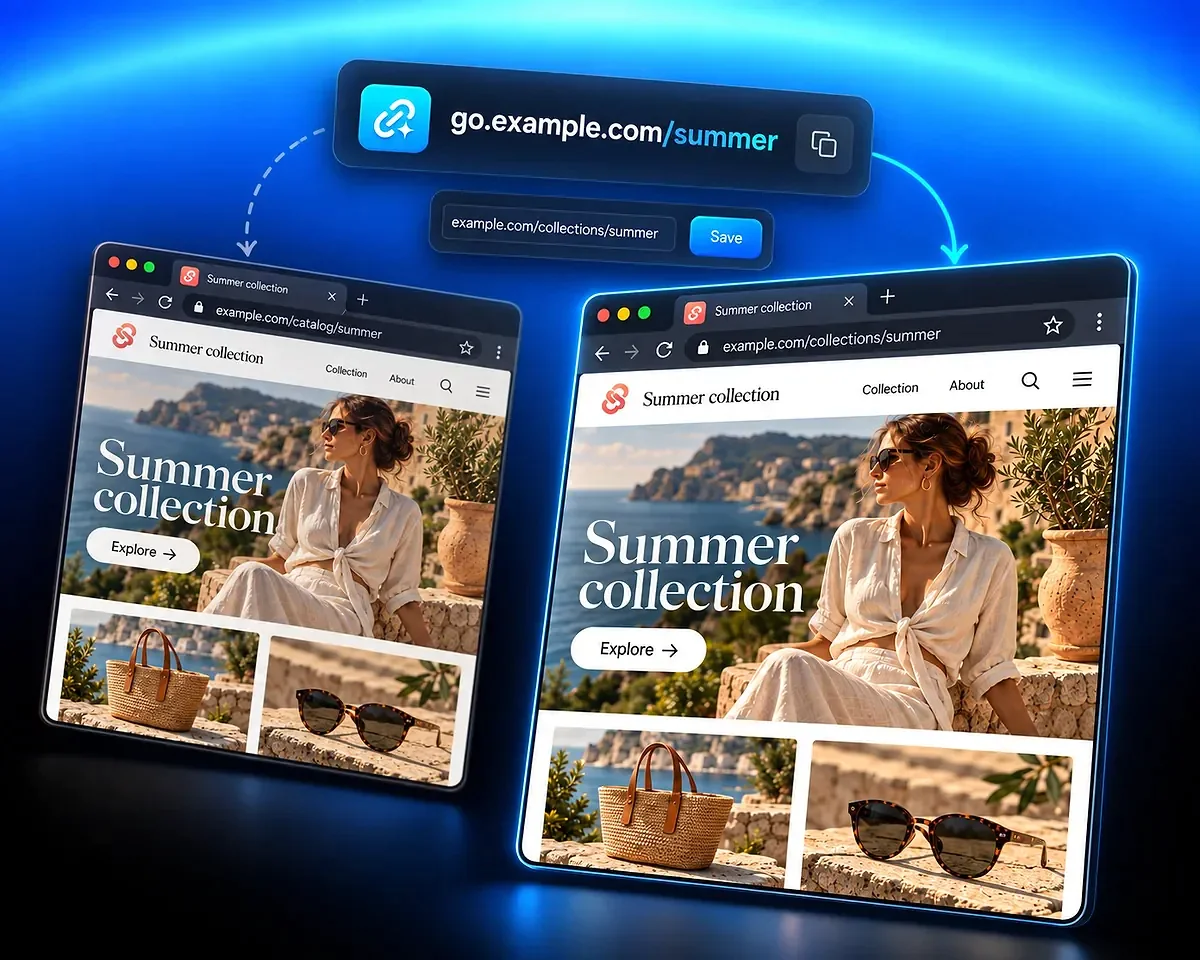
If the collection moves from example.com/catalog/summer to example.com/collections/summer, save the new destination for the same short address. People can keep using go.example.com/summer, the address you already shared. The sharing preview is a separate setting: its title could still read Summer collection.
Start a Smart Link in your QR Code AI account. For a web address, choose the Website URL destination.
Select the provided domain or a verified domain you own, then choose an available path. You do not need your own domain to create a short link.
Enter the page the link should open. For Website URL and other eligible types, add campaign values with the UTM Builder. Review any access controls or Destination Rules you need.
Customize the preview title, description and image, then select Create beneath the preview. Check the saved short link before sharing it.
For eligible app destinations, the Deep Link generator prepares a Destination Rule that attempts to open compatible content in its native app. A web fallback is required. Review and apply the rule on a larger screen, then save the Smart Link; not every URL can open natively on every device.
To share an app download destination, choose App Store / Play Store. This OneLink app download link selects an available iOS store, Android store or web address. At least one valid destination is enough. If the visitor’s store is missing, the web address or another available store provides a fallback.
For posters and packaging, use an app download QR code. A clickable Smart Link and a QR code serve different ways of reaching your app destinations.
Review click activity, prepare compatible native app opening or share one address for your app stores.

Compare managed QR code scans and Smart Link clicks, explore campaign reports and share aggregated analytics.
Prepare native opening for compatible app content, keep a web fallback and test the saved link before sharing it.
Share one clickable address for your available app stores and web destination, then review its click activity.
Create and manage short links with QR Code AI, a platform used by 500,000 people across more than 200 countries.
4M
500K
200+
Choose an address, manage your destination and understand click tracking and access.
In your QR Code AI account, create a Smart Link. Choose its short address, select Website URL and enter the destination, then customize the sharing preview. Select Create beneath the preview to save the link. Share the resulting short address in a message, email or other channel where you can place a link.
You can use the provided qrc.sh domain and an available path. A custom domain is optional. To use your own domain, add it to QR Code AI and complete the ownership and DNS verification before selecting it for your short address.
Edit the saved Smart Link, update its destination and save the change. The short address you already shared can stay the same. Check the updated link before using it in another campaign; changing a destination and changing the shared address are different actions.
You can set a preview title, description, icon and optional image for supported sharing experiences. This preview is separate from the destination page. Messaging and social platforms decide how and when to display it, so an updated preview is not a guarantee of an immediate change everywhere.
Smart Link reports show counted clicks, referrers and supported campaign dimensions. The UTM Builder is available for eleven URL-backed destination types, including Website URL. PDF, App Store / Play Store and hosted destinations do not show that builder. A click report does not establish a sale, conversion or app installation.
These are two different setups. For eligible app destinations, Deep Link prepares a Destination Rule that attempts native opening and keeps a mandatory web fallback. App Store / Play Store, also called OneLink, selects an available iOS store, Android store or web destination. It needs at least one valid destination and does not use the generic Deep Link shortcut.
Smart Links support password protection and access controls such as a future expiration date. Review the settings for the link and save your changes before sharing it. A password must be successfully unlocked before the visit enters normal click analytics.
Free creation allows three Smart Links per personal account and separately per non-Premium Workspace. The seven-day trial starts with the first QR code or Smart Link creation in that scope, or with the first eligible scan or click if an existing code or link has not started that trial. After seven consecutive days, Premium is required in that scope for continued use of the affected managed links. Without Premium, the affected links open a deactivated page after the trial.